


Share Article:


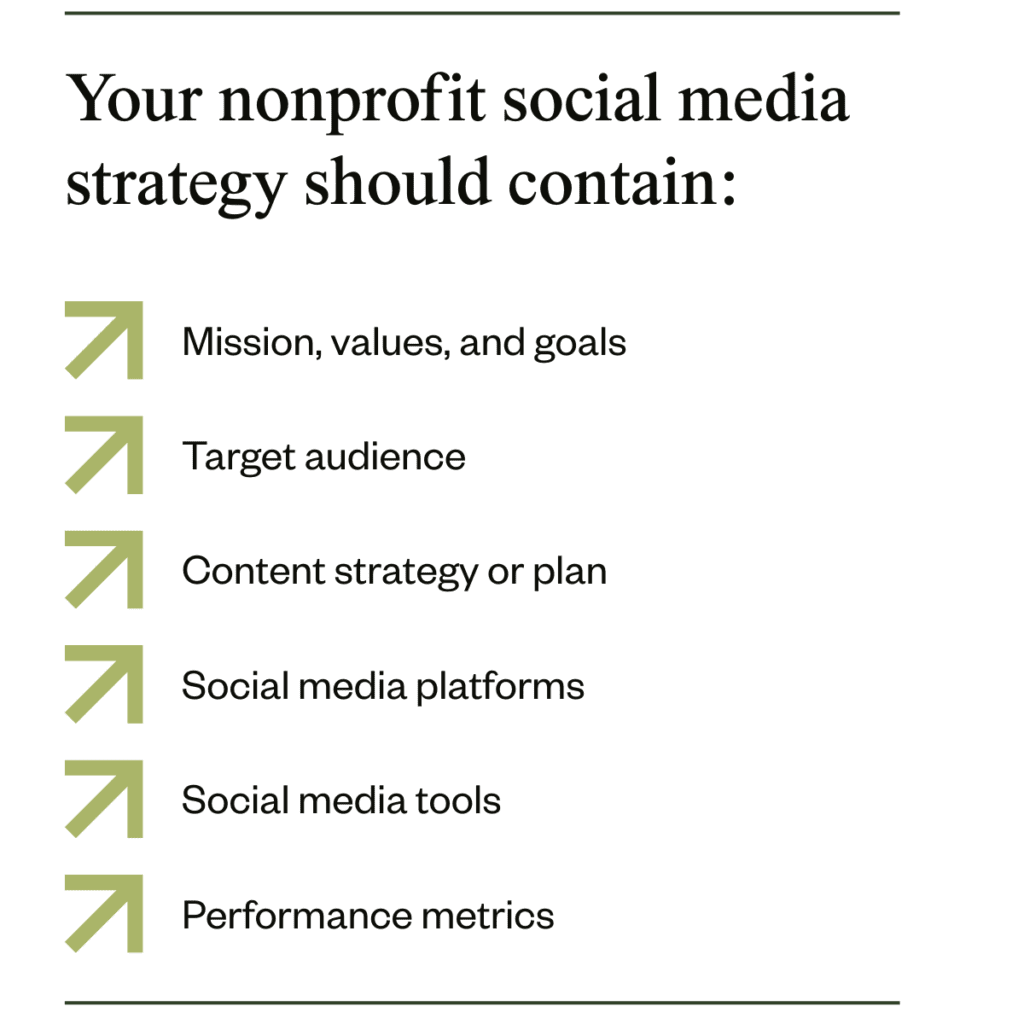
An effective nonprofit social media strategy guides you through exactly what to do to build a community of loyal and engaged supporters. It’s a plan that provides the goal, audience personas, and strategies you need to create content that drives engagement.
In this guide, we’ll explain the benefits of using social media as a nonprofit, along with how to create your own social media strategy in a few clear steps.
What is a nonprofit social media strategy?
A nonprofit social media strategy is a plan that informs your team on how to use social media to help you reach your goals, create a community, and encourage support. It should be a living document that you reference and update regularly.
Social media is ideal for building donor relationships at every stage (as defined in our donor journey mapping guide), so whether your current focus is on raising awareness, recruiting volunteers, or engaging supporters, there’s a way you can use social media to your advantage.
Benefits of social media for nonprofits
There are major benefits to using social media for your nonprofit organization—especially if you do it well. Some of the main reasons to engage with social media include:
- Increased awareness: Reach an audience beyond your immediate community and spread the word about your mission, vision, and goals
- Community building: Stay in touch with your audience regularly and engage with their comments, and you’ll soon build a loyal community of social media followers
- Opportunity to increase trust and transparency: Candid posts on social media allow your audience to get closer to your organization’s day-to-day work, future strategy, and success stories
- Raise your profile: A strong presence on social media can attract the media, raising your profile with potential sponsors, donors, and partners
- Attract more donations: With greater reach and a higher profile comes the opportunity for more donations to come your way—and some platforms even have built-in donation tools (like Facebook and Instagram)
- Find new volunteers: Use social media content as part of your overall volunteer recruitment strategy to attract new people to your volunteer pool
Social media can play a key role in raising awareness and building a strong community—both of which you’ll need to create lasting supporter relationships.
How to create your own social media strategy in 8 steps
Learn everything you need to know to build your own nonprofit social media strategy from the ground up.
1. Set a goal
The first step in any strategy or plan is to confirm what your goals are, as they’ll guide all your future decisions and keep the whole team aligned.
For many nonprofits, choosing just one goal can be hard. Try to narrow it down to one main goal and secondary targets that you can also work on throughout the year.
Examples of social media goals for nonprofits include:
- Grow page following by 20%
- Raise awareness of the charity or nonprofit with a national audience
- Attract 5 new corporate partners this year
- Increase donations made on Facebook by 15% in 2026
- Add 100 new volunteers to the roster
- Keep audience informed by sharing more project updates this year
- Build (or rebuild) reputation by sharing good news stories
Get started with one of these or come up with your own that reflects your mission, vision, and values. Turn it into a SMART goal and be as specific as you can, so it’s easier to measure progress.
2. Choose your audience
The best social media content is written with a specific audience in mind. Before you start posting, get clear on your target audience(s).
If you don’t already have them, create ideal donor profiles based on common characteristics of your donors and supporters. Write down who your donors are, what they care about, where they spend their time, and why they’re driven to support you. Assign each persona an age, location, giving habits, and even a name. If you have a fundraising CRM like ascend this step is easy.
Some examples of donor personas might include:
- The advocate: Loudly supports your organization and always engages with your posts. Regularly donates $20-50 to every campaign you share. Cares about encouraging even more people to sign up to support the cause
- The monthly donor: Signed up to donate every month via recurring giving. Rarely checks in on your social media feeds but occasionally likes your posts. Cares about their legacy of giving over time
- The volunteer: Signs up to volunteer at any event they can. Regularly re-shares your content on social media, and engages with all your peer-to-peer fundraising ideas. Cares about making a personal impact on their world
- The corporate supporter: Rarely engages with your social media content, but privately shares it with their manager or board members. Talks positively about your nonprofit at networking events and dinners. Cares about social impact and creating partnerships for good
Understanding your target audience(s) allows you to craft content that’s more tailored to their wants and needs. When you plan content for your key social media channels later on, you’ll write every post with one of these personas in mind.
3. Research what other nonprofits do
In a for-profit organization, this is the section of the nonprofit social media strategy where you’d complete competitor research and analysis. Instead, we suggest taking a look at what other nonprofits in your local area or your niche are doing.
The goal here is to understand what other organizations do, where they post, and what appears to engage their audience. Look for content gaps too. These are areas where you can step up and create something unique—like a video series, podcast, or live videos about a specific topic.
Create a library of inspirational social media posts. For every post you collect, consider:
- Content type and platform
- The intended audience or persona
- Whether any partners or influencers were involved
- What hashtags and emojis they used
- Tone of voice
- The call to action (e.g. donation button)
- What you liked most about the content
- Why you think it was effective
The idea isn’t to copy other organizations, but to gain an understanding of what makes an effective nonprofit social media post. Studying successful content will help you create better posts of your own.
4. Choose your key channels
Your nonprofit’s social media presence should feel as consistent as possible, so don’t overcommit when it comes to your chosen social platforms. Pick one or two platforms to focus on, and post to any of the others only when you get the chance.
The most popular social media platforms include:
- YouTube
- X (formerly Twitter)
- TikTok
- Discord
Facebook and Instagram are the most-used among nonprofit organizations: 93% of nonprofits have a Facebook page and 85% actively use Instagram. LinkedIn is close behind at 81%, while X and TikTok are further down the list (at 25% and 15% respectively).
The social media platforms you use should depend on where your target audience spends their time. If they’re always on Facebook, then you should be too. Use the data you have about your audience and the demographics of social media platforms to figure out where you should be.
5. Create a social media content strategy
A content strategy could be its own document entirely, but the purpose here is to create a simple plan that covers what type of content you’ll create, where you’ll share it, and how often you’ll post. It should align with both the rest of the nonprofit social media strategy and your overall communications strategy.
Put together a social media content calendar that includes:
- Date and time
- Social media platform
- Type of content (e.g. photo, video, audio, text)
- Theme or content pillar (e.g. volunteering, behind-the-scenes)
- Which goal(s) this post supports
As well as “evergreen” social media posts that you could schedule for any time, make sure you plan for annual events too. For example, select your favorite year-end giving campaign ideas and add them to your content calendar, or plan content around an awareness day that’s central to your mission.
6. Choose your social media and donation tools
Crafting every social media post and scheduling it manually is possible, but it’s also time-consuming. These days there are so many useful tools out there that simplify the steps, save you time, and help you make something incredible—even if you’re new to graphic design or video editing.
Choose a platform to help you schedule content to multiple platforms, then add tools that make content creation easier. You’ll also want a place to store ideas and work on your social media content calendar—even if that’s just a spreadsheet for now.
Popular social media tools include:
- Planning and team collaboration: Trello, Asana, Monday.com
- Social media management: Buffer, Hootsuite, Sprout Social
- Graphic design: Canva, Kittl, Adobe Illustrator
- Video editing: CapCut, DaVinci Resolve, Adobe Premiere Pro
If you’re not sure which tools to invest in, ask your network: other nonprofit professionals are often happy to recommend software or tell you which tools to avoid. You can also check to see which software integrates with your existing prospect research tools or fundraising platform. Review sites like G2 and Capterra are also useful places to compare different software.
7. Build your community and engage your followers
85% of marketers say an active community is crucial to social media success, and this applies in the nonprofit world too. In fact, community building is one of the top donor stewardship best practices.
Start building your community by creating opportunities for engagement. Your social media channels should feel like a two-way conversation, not just a way for you to post updates on what you’re doing.
Content ideas to drive engagement and community include:
- Hosting a Q&A session
- Community spotlight on volunteers and donors
- Sharing photos from a recent event for top supporters
- Asking people to vote using emojis or in the comments
- Regular weekly posts that people come to expect (e.g. rescue animal of the week)
- Co-hosting a livestream with a content creator
- Behind-the-scenes of running your social media page
- Inviting your supporters to vote on the theme of your next fundraising event
When you regularly show up, take part in the conversation, and show your supporters that they’re part of the journey, the community starts to grow naturally.
8. Track performance metrics
The only way to know whether your nonprofit social media strategy is working or not is to measure your performance over time. For this, you’ll need to decide on which metrics to track.
Some metrics are obvious and easy to monitor over time—like your follower count. Others require a little more digging into the data to uncover. Decide which metrics matter most based on your main social media goals.
Common metrics to track include:
- Follower count growth
- Content shares and saves
- Engagement rate
- Link clicks
- Post reach or impressions
- Number of volunteers recruited
- Donations received directly through social media
To help you track the source of volunteer signups and donations, include a field that asks people where they heard about you. This will help you understand which platforms are most valuable for you over time.
Best practices for nonprofit social media accounts
Enhance your social media strategy with these tips and best practice habits from seasoned nonprofit professionals:
- Create a social media policy: Introduce a short policy that explains what is and isn’t permitted for any team members who can access your nonprofit’s social media accounts
- Use each platform’s nonprofit resources: Explore TikTok’s ‘For Good’ program and YouTube’s nonprofit program for guidance, support, and ideas
- Make the most of templates: Use ready-made templates to shortcut your way to professional-looking graphics and videos—Canva is a popular tool for this
- Respond to comments: Use a social media listening or management tool to alert you to new comments and reply as soon as you can
- Consider hopping on trends: Keep an eye on social media trends for your chosen platforms and create engaging content for them if they suit your audience, theme, or goals
- Stick to your calendar but also be flexible: Leave room in your content calendar to pick up trends, and be ready to hit pause if a world-changing event happens
- Use storytelling: Motivate your audience to engage with your content and donate with the power of moving stories, impactful imagery, and the magic of storytelling
- Work with influencers or creators: Facebook fundraisers are down by 42%, but influencer marketing is on the rise. Partner with social media influencers or creators on one-off or ongoing projects if they align with your mission and goals
- Post at the most effective times for your audience: Most social media management tools will learn your best posting times—use this data when you schedule future content
- Experiment with content types: Be open to creating content in a new way or using different formats, styles, or approaches to photo, video, and audio posts
- Try different hashtags: Keep a consistent few hashtags that work for you but also try new ones every now then to see if they help you reach more of your audience
Make social media a part of your overall donor engagement strategy
Social media is a must-have if you want to reach, inspire, and fill your community with interested supporters. Use the tactics in this guide to build your own nonprofit social media strategy that guides you on how to make the most of your chosen social media channels. Don’t forget that social media doesn’t exist in a bubble—tie your activities into your overall donor engagement strategy for the highest impact.
Nonprofit social media strategy FAQs
What social media platforms are best for nonprofits?
The best social media platforms for nonprofits are the ones where their audiences are. Most nonprofit organizations have a Facebook page and a presence on LinkedIn, while fewer are active on TikTok or YouTube. Facebook can be useful for wide engagement and direct fundraising, while LinkedIn is ideal for corporate networking.
Which social media metrics should nonprofits track?
Nonprofits should track social media metrics like follower count, engagement rate, and link clicks. It’s also helpful to track conversions so you can identify how many volunteer signups and donations originated on social media.
How do I grow my nonprofit’s Instagram?
To grow your nonprofit’s Instagram, focus on creating high-quality content that appeals to your audience. Post regularly, several times a week, and update your stories 1-2 times per day. Post Reels for reach and engagement, and always reply to comments from your audience.
How many people should run a nonprofit’s social media page?
The number of people that should run a nonprofit’s social media page depends on the size of the organization and how much value is placed on social media vs. other marketing channels. In a small organization, one person might be responsible for social media. In a large nonprofit, there might be an entire team.
Is social media just for fun for nonprofits?
Social media isn’t just for fun for nonprofits. It acts as a valuable channel for engagement with your audience and potential donors, as well as a wider audience and the media. Nonprofits can use social media to raise awareness, build a community, and attract donors.

Be the first to read our resources.
The world is changing quickly—and our resources help you stay on top of it all. Sign up to get new insights, success stories, and more, sent right to your inbox.
Explore related resources.
-
How to turn your fundraising cycle into an upward spiral

Post How to turn your fundraising cycle into an upward spiral
Discover the six stages of the fundraising cycle and how nonprofit fundraisers can turn routine cycles into an upward spiral of donor growth.
-
Nonprofit board governance: Roles, responsibilities, and best practices

Post Nonprofit board governance: Roles, responsibilities, and best practices
Learn the core pillars of nonprofit board governance. Discover essential roles, legal responsibilities, and best practices to maximize your mission's impact.
-
Nonprofit email marketing: Strategy, tips, and real-life email examples

Post Nonprofit email marketing: Strategy, tips, and real-life email examples
Empower your mission with our nonprofit email marketing guide. Discover strategies, best practices, and real-life examples to boost donor engagement!